I recently started working on a new project in which we wanted to use WCF services that utilized NHibernate for database work. We also wanted those services to support distributed transactions so that several calls to one or more service would be done within the same client transaction. This is possible thanks to functionality in the System.Transactions namespace and in WCF which supports transaction flowing and of course the Distributed Transaction Coordinator in the operating system (see MSDN for more info on the DTC).
Note: The code below has been tested on NHibernate 2.1.1, Windows XP and .Net 4 Beta 2. Older versions of the .Net Framework should also work, but not necessarily older versions of NHibernate. I believe distributed transaction support was introduced in 2.1.0, but it may or may not work in similar ways to what is described here in older versions since the ADO.Net supports the System.Transactions namespace.
The goal is to write code like this on the WCF client side:
// TransactionScope is from the System.Transactions namespace
using (TransactionScope tx = new TransactionScope())
{
    service1.MyMethod();
    service2.MyMethod();
    tx.Complete();
}
If all goes well, the results of both service calls are comitted to the database. If the call to service2 fails and we get an exception so that tx.Complete() is never executed, then all database updates are rolled back are rolled back and nothing is persisted, even if service1 is hosted in another process or on another machine.
Note also that we’re not limited to database updates, any resource that supports transactions and knows about System.Transactions will be able to roll back updates.
For the above to work, we have to do several things:
- Configure the service binding to support transaction flow (on both the client and service side). Example:
<system .serviceModel>
  <services>
    <service ... >
      <endpoint ... bindingConfiguration="TransactionalWsHttp">
         ...
      </endpoint>
      ...
    </service>
  </services>
  <bindings>
    <wshttpbinding>
      <binding name="TransactionalWsHttp" transactionFlow="true"></binding>
    </wshttpbinding>
  </bindings>
</system>
- Mark the methods that should be enlisted in the distributed transaction with the TransactionFlow attribute. Do this on the service contract interface:
[TransactionFlow(TransactionFlowOption.Allowed)]
void SaveMyObject(Foobar object);
That setting dictates that the client’s transaction will be used, if there is one. If there isn’t, a new one will be created automatically for the method call and it will be auto-committed when the method returns.
You can also use TransactionFlowOption.Mandatory to require the client to supply the transaction. If it doesn’t then WCF will throw an exception.
- Mark the method implementation with the OperationBehavior attribute like this:
[OperationBehavior(TransactionScopeRequired=true)]
public void SaveMyObject(Foobar object)
{
   ...
}
This will supply the method with the transaction (the other settings are not enough, they simply indicate that WCF should be configured to be prepared supply the transaction and this setting says that the method really wants it).
This is actually all that is required! NHibernate will now detect if there is a so called ambient transaction (to do this yourself, look at the System.Transactions.Transaction.Current static property, if it’s non-null there there is a transaction) and will enlist its session in it. When the transaction completes, then the saved data will be comitted to the database. If there is an exception so that transaction is never completed then all data will be rolled back.
Important notes:
- Don’t close the NHibernate ISession explicitly when using the above pattern as NHibernate will do that itself when the distributed transaction completes or is rolled back. If you do, then you will get an exception later when the transaction tries to do it.
- Don’t create transactions explicitly, let System.Transactions do that for you.
- If you get this error:
Network access for Distributed Transaction Manager (MSDTC) has been disabled. Please enable DTC for
network access in the security configuration for MSDTC using the Component Services Administrative tool.
then you have to do as it says and enable network access in the DTC on the server where the WCF service is hosted (and also on the database server I would assume, but I haven’t actually checked). Here’s an instruction on how to do that:
Network access for Distributed Transaction Manager (MSDTC) has been disabled
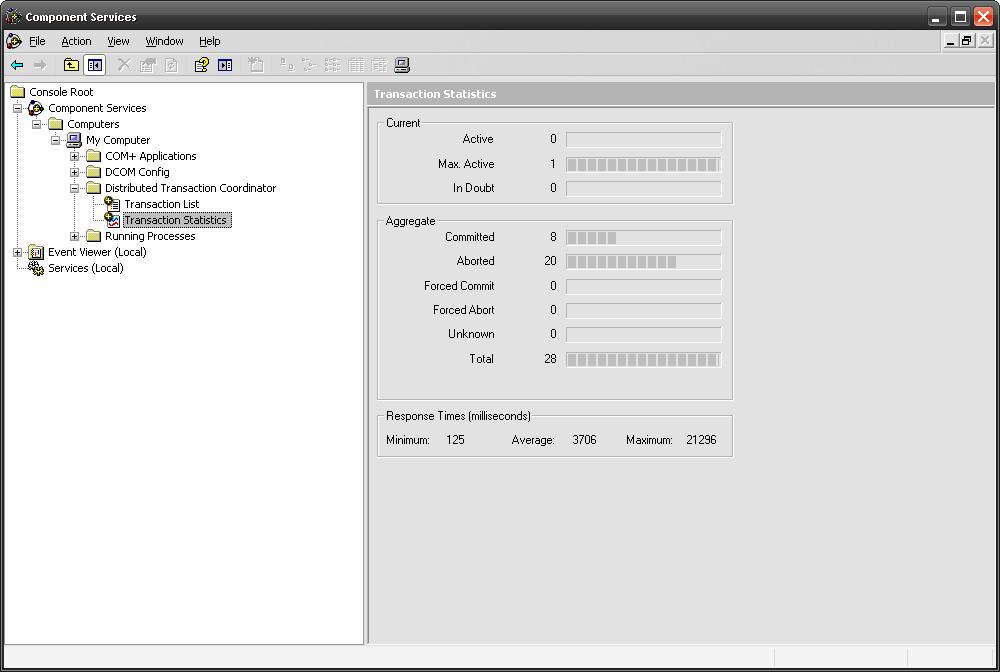
I think this is really cool stuff. Not only does it simplify transaction management in NHibernate, it also allows us to write much more robust distributed service-oriented application with very little effort. You also get support in the operating system, for example för statistics:
I haven’t tried with other databases than SQL Server but as NHibernate seems to support System.Transactions it is possible that it works with other DB systems as well. If you have any experience with that, please leave a comment 🙂
I will continue to update this post if I do more findings on this subject. When I google about this there wasn’t much information on this subject so hopefully this post will help others with the same needs.
/Emil